UpNote - notes, diary, journal
- 4.8
- Rating
- 100.00K
- Installs
- Free
- Price

 Analysis by App-foxy
I have used UpNote as a daily writing and organizing tool, and my first impression was that it feels calmer than many note apps. It is a productivity app from UpNote Pte. Ltd. for Android, aimed at people who want somewhere dependable for ideas, plans, personal writing, and reference material. Rather than pushing me toward a complicated project-management system, it keeps the focus on getting words down and finding them again later.
That simple approach is the main reason I can recommend it to some people. I can open it when I need to capture a thought, turn a rough note into something more structured, or keep a private journal without feeling that I am maintaining a database. At the same time, it is not the perfect replacement for every kind of workspace. People who need advanced team collaboration, highly specialized research tools, or a completely free experience without optional purchases should look closely at the trade-offs before settling in.
How UpNote fits into everyday writing
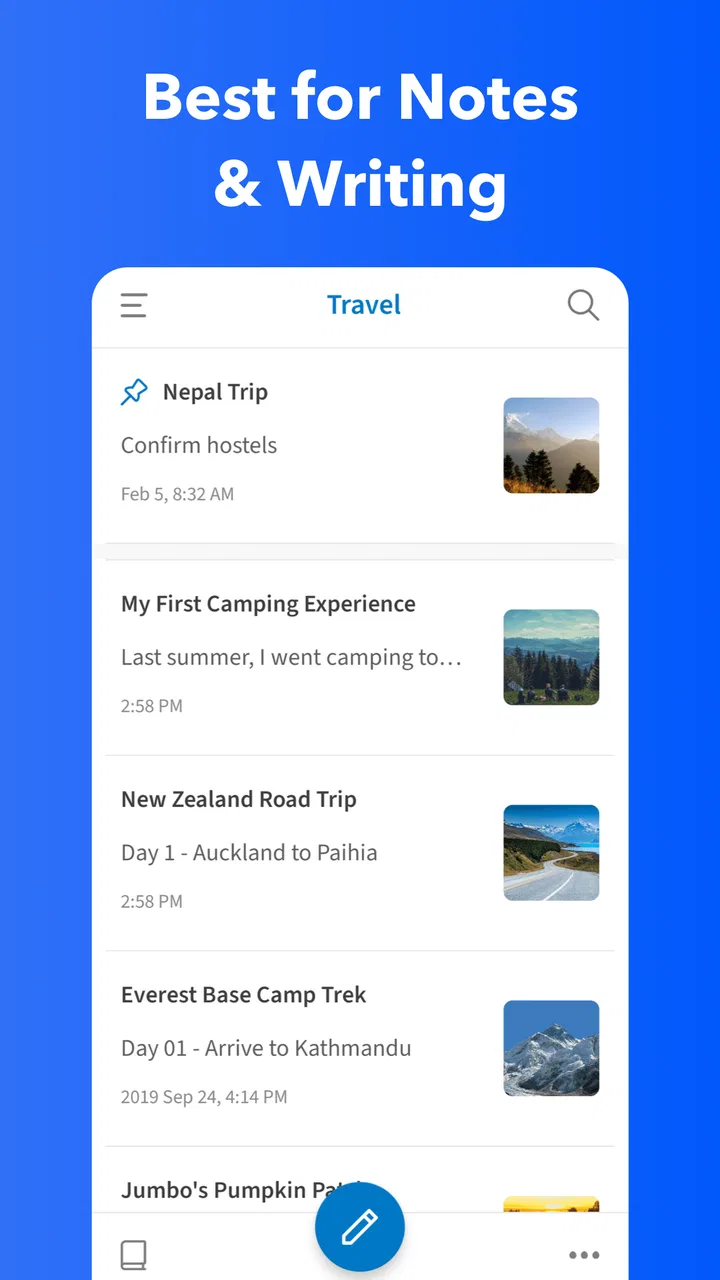
The app sits in the productivity category, but I think “personal writing and organization” describes its practical role better. I use it for a mixture of short notes and longer pages: shopping reminders, travel planning, reading notes, work ideas, and journal entries. That mixture matters because the app does not force every thought into the same format. A quick sentence can remain a quick sentence, while a longer entry can grow into a carefully arranged page.
You May Also Like

 Blood Strike: 2.5 Anniversary
Blood Strike’s Loadouts Turn Every Drop Into a Tactical Gamble
A close look at Blood Strike’s custom loadouts: how fast access to signature weapons reshapes its battle royale rhythm, rewards preparation, and narrows the gap between fights.

 Pandora - Music & Podcasts
Pandora’s Music Is Easy to Start, but Harder to Recover
Pandora’s strength is its low-effort path from a seed to a station. Its weak spot is how much confidence it asks you to place in connection, setup, and quiet recovery.

 8 Ball Pool
 Is Built on Rivalries, Rematches, and Routine
A close look at the rivalries, rematches, shared routines, and unanswered safety questions that turn a quick pool match into a persistent mobile community.

 Samsung Music
’s Quiet Strength Is Playing What You Already Own
Its reach comes less from spectacle than from dependable access to a personal library. That simplicity is both the app’s strongest retention engine and its ceiling.

 AccuWeather: Weather Radar
AccuWeather Review: A Quick, Clear Forecast for Everyday Decisions
For everyday plans, the best forecast is the one you can understand quickly. AccuWeather makes rain timing, radar, and local conditions easy to act on, with a few trade-offs.

 Hill Climb Racing
Why Hill Climb Racing Still Turns Crashes Into One More Run
A tiny car, a bumpy hill and one more upgrade: Hill Climb Racing keeps resurfacing because its simple chaos makes every near-miss feel personal.
More From Our News Desk
View All News


The store summary calls it a pleasant app for writing and organizing notes, and that is a fair description without telling the whole story. The pleasant part comes from the low friction. I do not have to decide on a complicated system before writing. I can create a note first and organize it once I understand what it is actually for.
Its diary and journal angle is especially useful for people who want consistency rather than a dramatic self-improvement system. I can write a few lines after a busy day, keep a longer reflection when I have more time, and return to earlier entries when I want to remember what was happening. The app works best when I treat it as a flexible personal archive instead of another task manager demanding constant maintenance.
A realistic day with the app
Imagine that I am planning a weekend away. I start with a rough note containing possible places, opening times, questions to check, and a few ideas from friends. Later, I turn that note into sections for transport, food, and activities. During the week, I add small updates instead of creating separate scraps across messaging apps and paper. Once the plan is finished, the original note has become a useful reference rather than a forgotten first draft.
The same workflow works for a work project. I can begin with a meeting thought, add supporting details later, and keep the evolving material together. This is more practical than trying to decide immediately whether an idea belongs in a “project,” “reference,” or “personal” folder. For me, that ability to let a note develop naturally is one of the app’s strongest qualities.
Organization that does not get in the way
Good note organization is less about creating many folders and more about making future retrieval predictable. With UpNote, I find it helpful to establish a small number of broad areas first, such as personal, work, learning, and journal. I then use clear opening words in titles so related notes are easier to scan. This sounds basic, but it prevents the common mistake of building a maze of tiny categories that becomes harder to maintain than the original pile of notes.
My practical tip is to separate “temporary capture” from “finished reference.” A quick idea can live in a loose inbox-style area until I have time to rename or move it. Finished material deserves a more descriptive title and a cleaner structure. This two-stage workflow keeps the app fast for sudden thoughts without allowing the long-term collection to become chaotic.
Another useful habit is to write the next action inside a planning note rather than assuming I will remember it. For example, a travel note can include “check train times” or “confirm reservation,” while a learning note can end with the next chapter or question to investigate. The app then becomes more than storage: it gives each note a clear reason to be opened again.
Writing, journaling, and personal reference
For journaling, I prefer a repeatable title style and a short opening line that summarizes the day. That makes older entries easier to browse than a collection of vague titles. I also find that separating factual events from personal reactions improves later reading. One paragraph can record what happened, while another explains how I felt about it. This small distinction makes the journal more useful as a record of patterns and decisions.
UpNote is also a good fit for “living documents.” I can keep a list of questions for a doctor, a packing checklist, a collection of recipes to adjust, or notes about a hobby that changes over time. Instead of creating a new page every time, I can update one dependable reference. The trade-off is that living documents need occasional cleanup. If I keep adding material without reviewing it, even a pleasant note app can become a crowded attic.
For students and independent learners, I would use it for personal explanations rather than simply copying source material. After reading something, I can write the idea in my own words, add an example, and finish with a question. That approach creates notes that are easier to use later. It also exposes a limitation of any general note app: the quality of the system depends heavily on the user’s habits. UpNote can make writing comfortable, but it cannot automatically turn unprocessed fragments into understanding.
Cost, free access, and the paid decision
UpNote is free to download and carries an Everyone age rating, so it is approachable for a broad range of users. Optional in-app purchases range from $1.99 to $39.99 per item. That means the sensible way to judge its value is to begin with the free experience, decide whether the writing workflow fits, and only then consider paying for features or access that matter to you.
I appreciate that this separates trying the app from committing financially. Someone who only needs occasional short notes may get enough value without spending anything. A person who intends to build a substantial journal, reference library, or long-term writing habit may see more reason to pay, but that decision should come from actual use rather than the promise of a large feature list.
The purchase range is wide enough that I would not treat the highest price as automatically good value. The right question is how central the app becomes in daily life. If it replaces several scattered places where I currently keep ideas and personal records, paying can be easier to justify. If I only open it once every few weeks, the free route is likely the more sensible choice.
I would also avoid choosing it solely because it has a strong public rating. The app has an average rating of 4.8 from around 21 thousand ratings, which is encouraging, and it has passed 100 thousand installs. Those figures suggest that many users enjoy the experience, but they cannot tell me whether its organization style matches my own. A highly rated app can still be wrong for someone who needs specialized collaboration or a different writing environment.
What feels strong in practice
The biggest strength is the balance between immediate capture and deliberate organization. I can start writing without designing a system, then improve the note when its purpose becomes clearer. That is particularly valuable for journal entries and creative ideas, where forcing structure too early can interrupt the thought itself.
I also like the possibility of using one app for several related writing roles without making them feel identical. A journal entry can remain personal, a project note can become practical, and a study page can become explanatory. Keeping those materials together reduces the mental cost of switching between separate apps, while broad categories and consistent titles preserve enough order to find things later.
A less obvious benefit is that the app encourages me to revise notes instead of abandoning them. When a page is easy to reopen and continue, I am more likely to update a packing list, refine a plan, or add a new observation to a journal theme. That creates a useful difference between a note collection and a pile of one-time messages.
For writers, the comfortable environment can help with drafting before editing. I can create a rough version, leave it alone, and return with a clearer head. The app is not a substitute for a dedicated publishing workflow, but it is a capable place to develop material before moving it elsewhere.
Where the trade-offs become noticeable
The same flexibility that makes UpNote comfortable can make it too open-ended for people who want strict structure. If I do not use consistent titles, categories, or review habits, the collection can slowly become difficult to navigate. The app reduces friction at the beginning, but I still have to make decisions about naming and maintenance.
It is also not the first choice I would make for a team that needs detailed collaboration around documents. A personal writing tool is excellent when I own the material and control the organization. Shared work often needs clearer responsibilities, live coordination, formal version handling, and project-level visibility. If those are central requirements, a dedicated team workspace will probably be a better fit.
Likewise, people who want a highly visual planning system may find the writing-first approach limiting. Someone who thinks primarily in boards, diagrams, databases, or complex linked structures may prefer a tool built around those ideas. UpNote makes sense when the note itself is the main object, not when the surrounding system is more important than the words.
There is also a personal discipline trade-off. A journal app can make writing easier, but it cannot create a routine by itself. I get the most from it when I choose a realistic rhythm, such as a few lines at the end of the day or a weekly review of unfinished notes. Without that habit, the app can become another place where good intentions accumulate.
Who will get the most value
I think UpNote is particularly well suited to people who want one calm home for personal notes, journaling, planning, and ongoing reference material. It is a strong candidate for someone moving away from scattered paper notes, random drafts, and messages sent to themselves. The best users will enjoy writing, prefer flexible organization, and are willing to spend a little time keeping their collection understandable.
It also suits users who want to test a workflow before paying. The free starting point makes it possible to see whether the editor, organization style, and general rhythm feel natural. I would spend several days using it for real material rather than creating artificial test notes. A genuine journal entry, a practical plan, and a growing reference note will reveal much more than a quick glance at the interface.
Families and younger users may appreciate the Everyone rating, although I would still choose the app based on the individual’s needs rather than age alone. A child who needs a simple place for creative writing may enjoy it, while a student who requires advanced research management may need something more specialized. The rating describes broad suitability, not a guarantee that every workflow will fit.
I would tell a heavy task-management user to be cautious. If the main goal is deadlines, recurring actions, team assignments, or progress reporting, a task-focused app is likely to provide clearer tools. UpNote can hold planning information, but I would not choose it as my only system when missed deadlines carry serious consequences.
Version, support expectations, and long-term use
The current version is 9.22.2, and the app supports Android 7.0 or newer. That makes it usable on a range of Android devices rather than limiting it to only recent phones. In practical terms, compatibility is useful for anyone who wants to keep an older device in the same personal writing routine, provided that device meets the minimum system requirement.
For long-term use, I would establish an exit-friendly habit from the beginning: keep titles clear, avoid putting unrelated subjects into one enormous page, and periodically review important notes. Those habits are valuable regardless of the app, but they matter especially when a note collection becomes part of daily life. A tidy structure makes the information easier to understand and less stressful to manage.
I would also decide what belongs in the app before migrating everything. Moving an entire archive immediately can create work without proving that the new system is better. A smaller trial with current projects and recent journal entries gives a more honest picture. If the workflow helps me write and retrieve information naturally, I can bring over older material gradually.
My buy-or-skip verdict
My verdict is positive, with a clear condition: choose UpNote because its writing experience fits you, not because you want a universal replacement for every productivity tool. I like it as a personal notebook, journal, idea space, and collection of evolving references. The free entry point makes experimentation straightforward, while the optional purchase range leaves room for users who decide that the app has become important enough to support financially.
I would skip it if I need a collaboration-heavy workspace, a strict database system, or a task manager built around deadlines and accountability. I would also skip paying until I have used the free experience with real notes and know exactly what extra value I am seeking. That is the fairest way to judge the difference between free access and paid value.
For my own use, the strongest reason to keep it installed is that it makes writing feel easy without treating organization as an afterthought. I can capture a thought quickly, shape it later, and return to it when it becomes useful. If your ideal note app is a quiet place where writing comes first and structure grows around it, UpNote is worth trying. Just keep your categories modest, review important notes regularly, and be honest about whether you need a personal writing tool or a more specialized system.
FAQs for UpNote - notes, diary, journal
01What is UpNote, and what can I use it for?
UpNote is a note-taking and personal organization app designed for writing, saving, and arranging information across Android, iOS, and other supported platforms. During use, it feels suitable for everyday notes, study material, work ideas, checklists, private journaling, and diary entries. Notes can be organized into notebooks, enhanced with formatting, and searched later, making the app useful for both quick thoughts and longer writing projects.
02Does UpNote synchronize notes between Android, iPhone, and other devices?
Yes, UpNote is designed to synchronize your notes across supported devices when you sign in to the same account and have an internet connection available. This is useful if you begin writing on an Android phone and continue on an iPad, iPhone, or computer. Before relying on synchronization, it is sensible to confirm that the latest changes have finished uploading, especially after editing notes offline or switching between several devices.
03Is UpNote free, or do I need a subscription to use it?
UpNote offers a free version that allows users to try its main note-taking features, but some advanced tools and usage limits may require an upgrade. Premium access can provide a broader writing experience and additional organization or customization options, depending on the current plan. Pricing and available features may change, so check the in-app purchase screen or official store listing before subscribing.
04Can UpNote be used as a private diary or journal?
UpNote can work well as a digital diary or journal because it supports long-form writing, organized notebooks, and formatting that makes personal entries easier to read. Users can create separate sections for daily reflections, travel memories, goals, or private thoughts. However, anyone storing sensitive information should review the app’s security and privacy options, use a strong account password, and avoid assuming that every note is protected like a specialized encrypted vault.
05Does UpNote work without an internet connection?
UpNote can generally be used for creating and editing notes while offline, which is convenient during travel, on flights, or in areas with unreliable mobile data. Changes should synchronize after the device reconnects to the internet. Offline availability and synchronization behavior can depend on the platform and account status, so users should allow time for updates to complete and avoid making conflicting edits on multiple devices before reconnecting.
Pros
- Clean interface makes notes quick to create and easy to browse.
- Supports rich text formatting
- checklists
- images
- and attachments.
- Folders
- notebooks
- and tags help organize large collections of notes.
- Syncs notes across supported devices for convenient access anywhere.
- Locking options add privacy for personal journals and sensitive entries.
Cons
- Some advanced features require a paid subscription.
- The free plan may limit the number of notes or device syncing options.
- Search can feel less powerful with very large or complex note libraries.
- Limited collaboration tools compared with dedicated team note-taking apps.
- Export and import options may not support every format users expect.

UpNote - notes, diary, journal
Gallery